
NoticePilot
Turn confusing academic notices into clear, actionable information.
Demo video
What it does
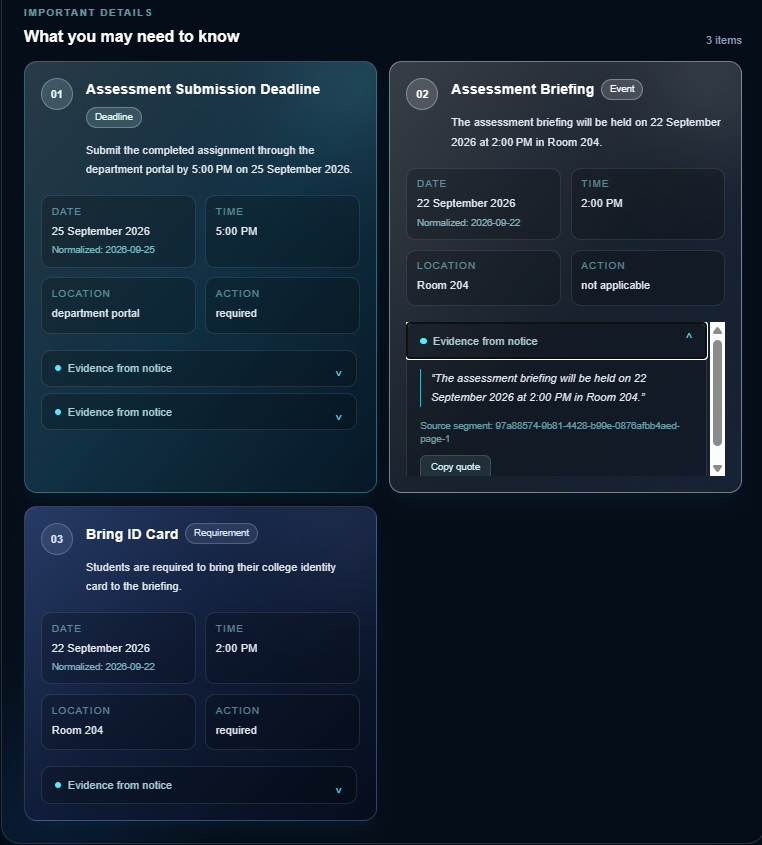
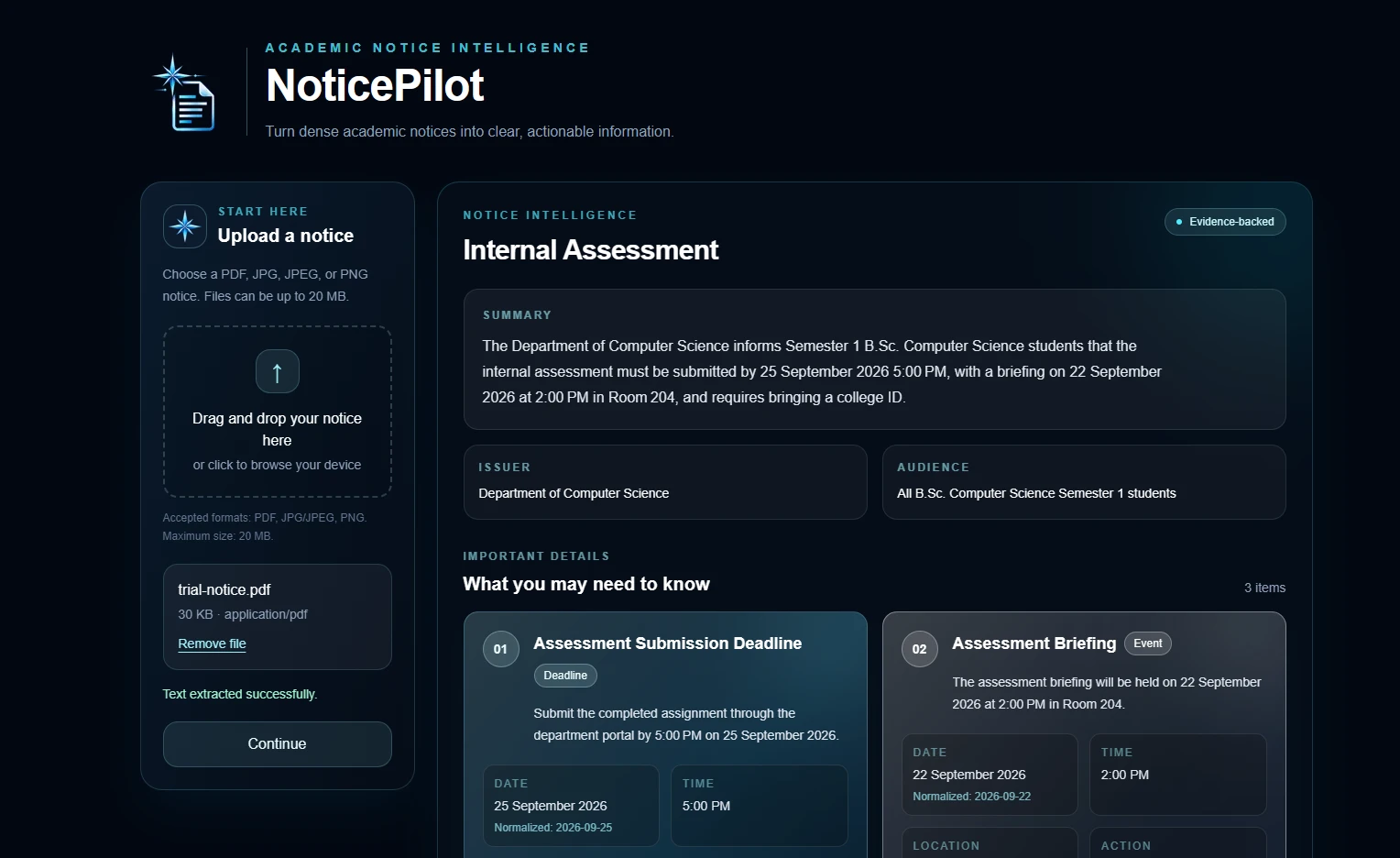
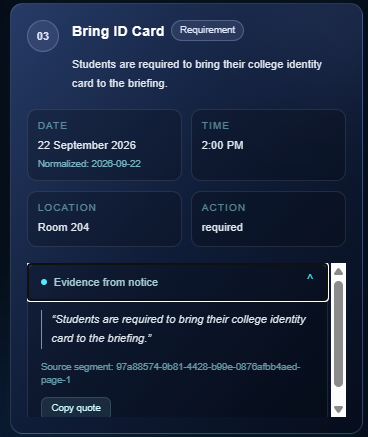
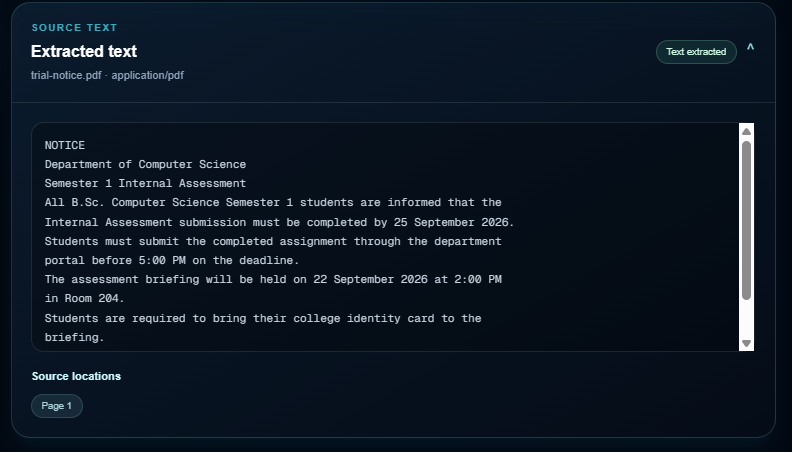
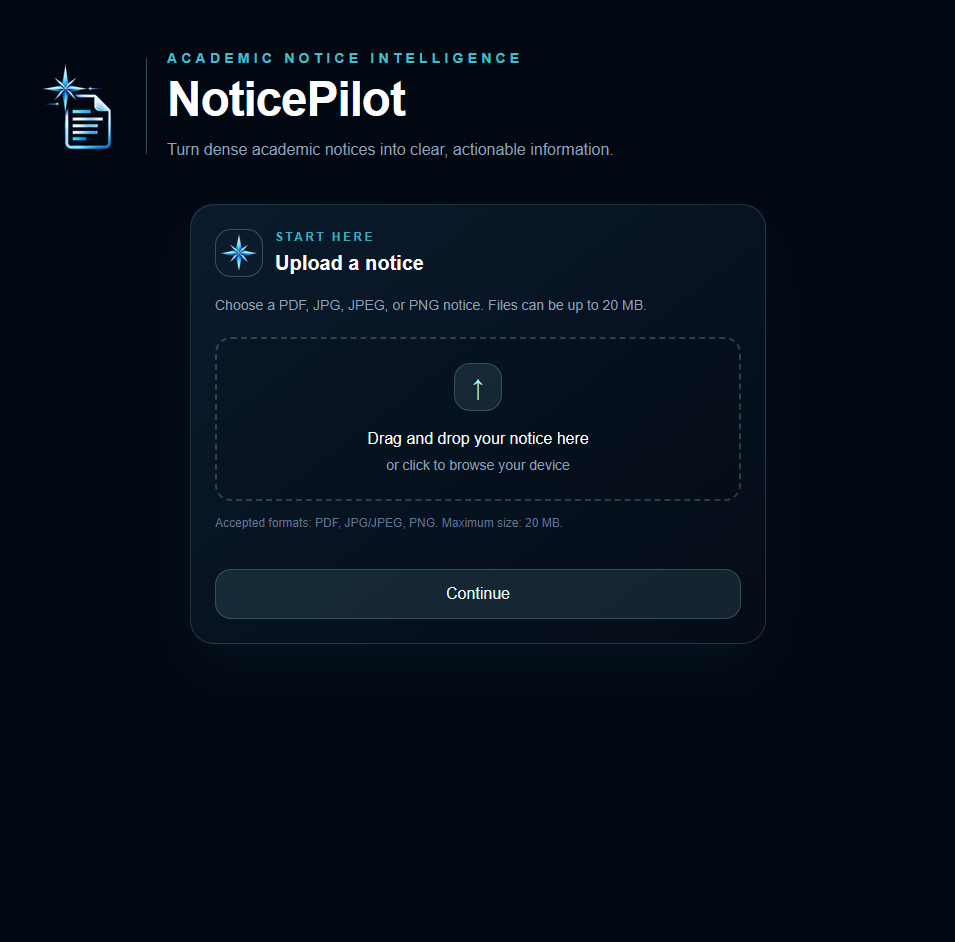
NoticePilot helps students understand academic notices without having to dig through the whole document themselves. You upload a notice as a PDF or image, and it extracts things like deadlines, dates, times, venues, required actions, the intended audience, and the issuer. One thing I wanted to avoid was making the AI output look more trustworthy than it actually is. NoticePilot therefore checks the AI response against the extracted notice text and shows the source evidence for the information it finds. If something is missing or unclear, it can mark it as not specified or uncertain instead of making up an answer. The original notice is still treated as the source of truth.
Inspiration
Academic notices are something students deal with all the time, but they are not always easy to read. Sometimes the important part is buried in a long paragraph, or there are several dates and instructions in the same notice. If I just want to know the deadline or what I actually need to do, I still have to go through the whole thing. I wanted to make something that could do that first pass for a student. The idea became NoticePilot: upload the notice, pull out the useful information, and make it easier to act on. I also wanted to make sure that adding AI did not just create another problem where the student has to wonder whether the summary is correct.
How we built it
I built NoticePilot with Next.js, React, TypeScript, Tailwind CSS, Zod, unpdf, Tesseract.js and Groq. The project is split into a few stages rather than sending the uploaded file straight to an AI model. First, the upload is validated. PDFs are extracted page by page on the server, while images use OCR in the browser. The extracted text is kept as source segments so the application knows where the information came from. That information is then sent to the intelligence layer, where Groq produces the structured notice data. Zod validates the response, and then the evidence verification step checks that the referenced source segment actually exists and that the quoted text can be found in the original extraction. The final result is then shown in the NoticePilot dashboard.
Challenges we ran into
The difficult part turned out not to be getting an AI model to summarize a notice. Getting a result that I could actually trust was harder. I had to deal with OCR errors, different document types, missing information, malformed AI responses, and cases where the model could potentially produce evidence that was not actually present in the notice. I also ran into deployment issues with the original implementation. I initially used Gemini, but switched to Groq after running into API key problems. Server-side Tesseract also caused deployment and bundling problems, so I moved image OCR into the browser. These problems ended up shaping the architecture quite a bit. The different stages now have clear boundaries, and the AI output is not treated as trusted information until it passes validation and evidence checks.
What's next
The next feature I want to add is calendar export. If NoticePilot finds a deadline or event, the student should be able to add it to their calendar instead of manually copying the details. After that, I want to keep improving the reliability and the overall student experience. For now, the project deliberately does not use a database. A notice is processed for the current request rather than being permanently stored, which keeps the scope focused on the main problem: understanding academic notices reliably.
Screenshots
0 comments
Sign in to upvote this project or leave the team a comment.